Twitter (X) scheduler
Schedule tweets and threads on X
Batch a week of tweets in one sitting. Write your posts and threads, drop them on the calendar, and Lemonpost publishes them automatically through the official X API. Even while you sleep.
Every X format, scheduled
If you can post it on X, you can schedule it in Lemonpost.
Threads
Write a whole thread and schedule it as one. Each part can carry up to four images or a video, and Lemonpost posts them in order at the time you pick.
Polls
Schedule a poll with up to four options and a length from five minutes to seven days. A quick way to spark replies and see what your audience actually thinks.
Quote posts
Schedule a quote post by pasting the URL of the tweet you're quoting. Add your take and it goes out at the scheduled time.
Reply controls
Decide who can reply before the post goes live: everyone, people you follow, accounts you mention, verified users, or your subscribers.
Four steps
How to schedule tweets
- 1
Connect your X account
Link your X account in a couple of clicks. Lemonpost publishes through the official X API, so your account stays safe.
- 2
Write your post
Write a single tweet or a full thread in Lemon Studio, add images or video, and set reply controls or a poll. You can even draft tweets from Claude or ChatGPT.
- 3
Pick a time
Drop the post on your calendar, or add it to the queue and let it fill your schedule. Analytics shows when your followers are actually online.
- 4
Let it publish
Lemonpost posts it for you, threads in the right order. Then track how it did and reply from one inbox.
One place for X
Built for how you actually post
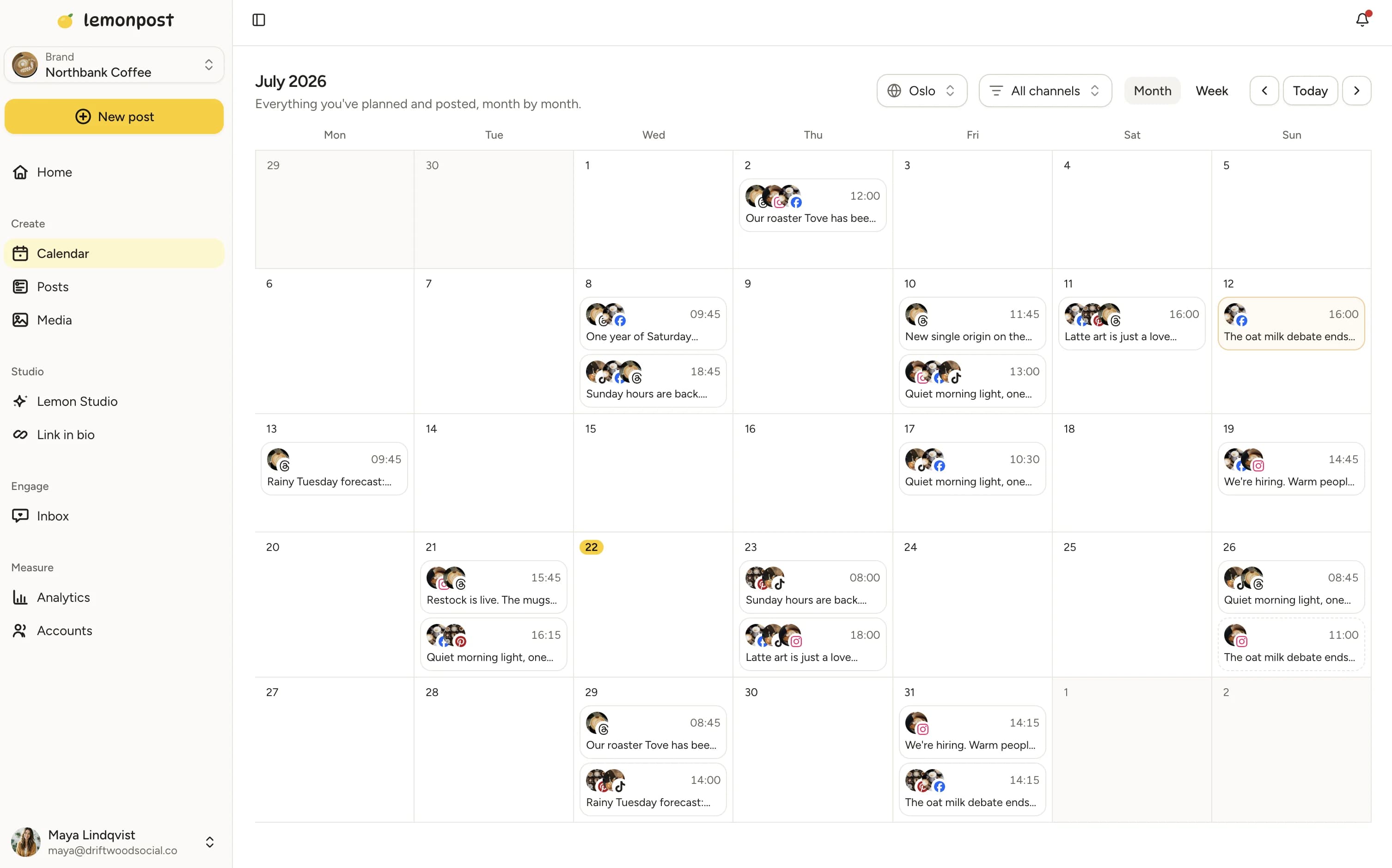
Content calendar
See your whole week in one view
Plan your tweets and threads next to everything else you post. Gaps are obvious, so you keep the feed alive on the days you'd otherwise go quiet.
Drag and drop. Move a post to a new day and it's rescheduled. No forms, no fuss.
Queue it. Set your posting times once and Lemonpost slots new tweets into the next open spot.
Every account together. All your X accounts, plus every other platform, on the same calendar.
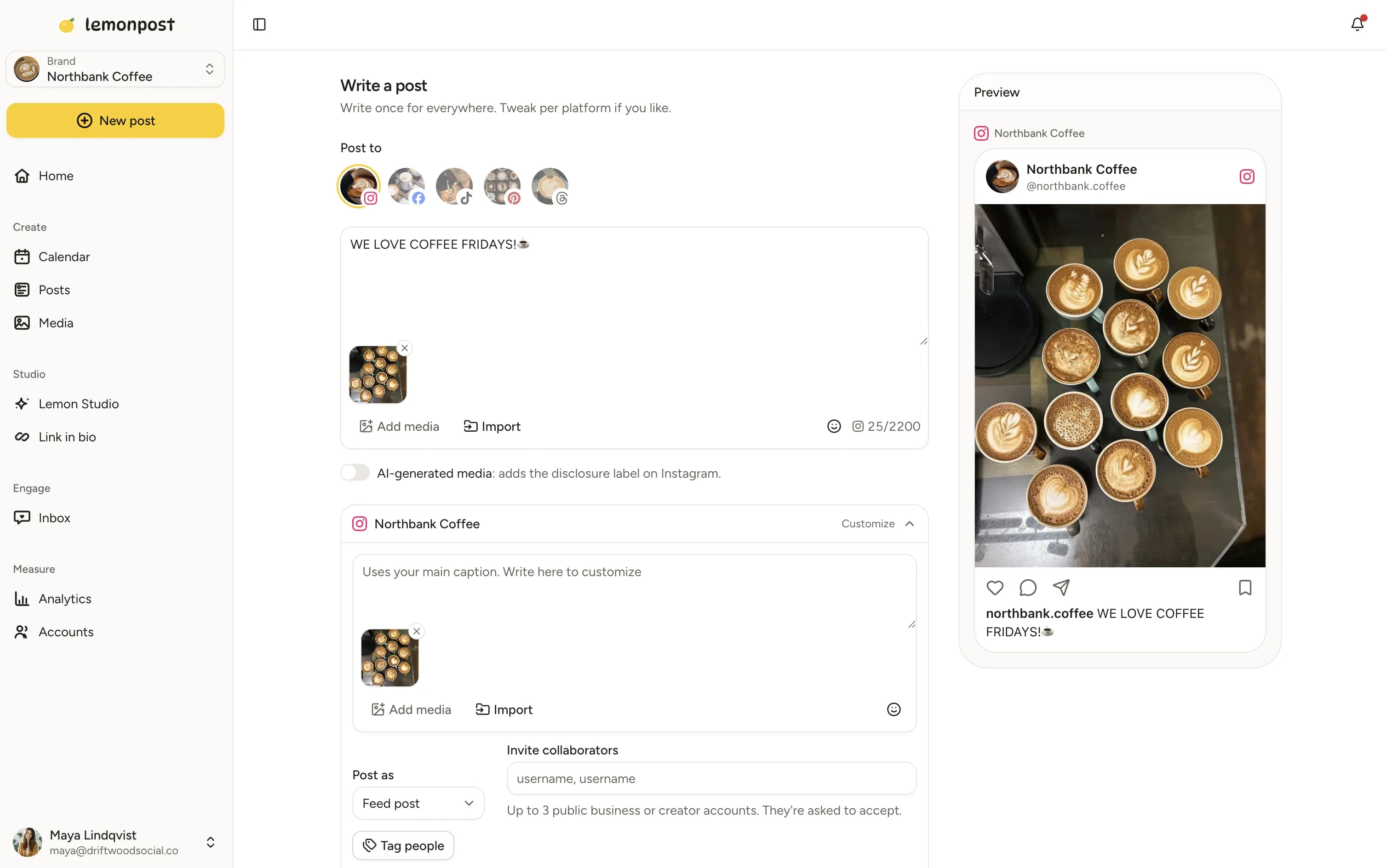
Lemon Studio
Write once, post everywhere
Turn one idea into a tweet, a Threads post and a Bluesky post from one screen. Lemonpost checks each platform's character limit as you write.
Cross-post threads. Post the same thread to X, Threads and Bluesky, each within its own limits.
AI when you want it. Draft tweets with AI, or publish straight from Claude, ChatGPT, or any MCP client.
Limit-aware. Lemonpost flags a part that's over 280 characters before it can fail on publish.
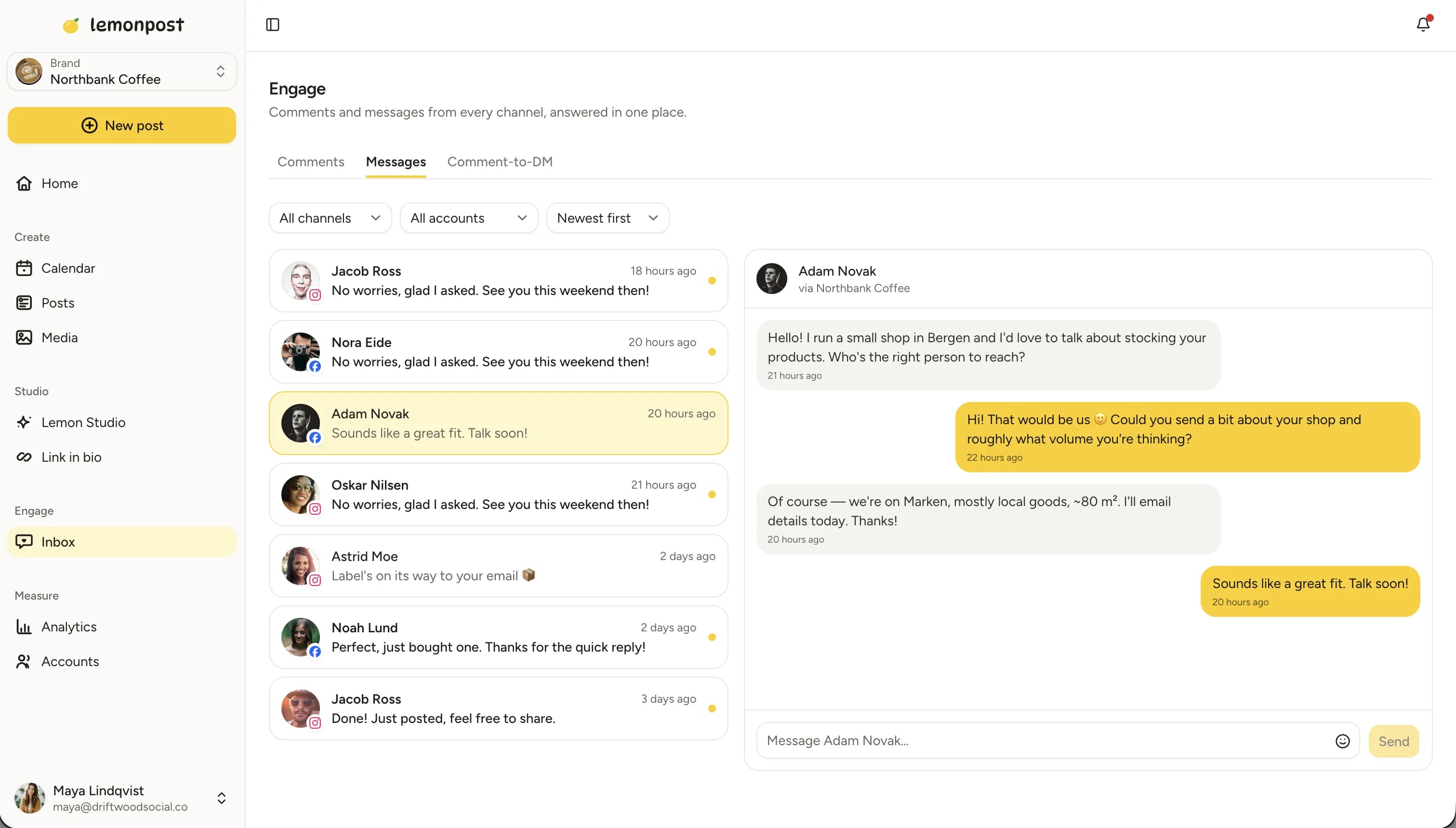
Engage inbox
Keep up with the replies
Engage pulls your mentions and replies into one inbox alongside every other platform, so a post that takes off doesn't leave the conversation hanging.
One inbox. Replies and mentions from every account, together in one place.
Reply faster. Answer from Lemonpost instead of living in the timeline all day.
Never miss a moment. The replies on a post that's taking off are where new followers decide to stick around.
Why schedule tweets in advance?
X moves fast, and staying visible means posting several times a day. Doing that live, all day, is a great way to lose an afternoon to the timeline. Scheduling lets you batch your posts and threads when you have the ideas, and Lemonpost drips them out on time.
Show up daily without living in the timeline
The accounts that grow on X post consistently, usually several times a day, every day. The trap is that posting live keeps pulling you back into an endless scroll. Scheduling breaks that: write a batch of tweets and threads in one focused session, spread them across the week, and your presence holds steady while your attention goes elsewhere.
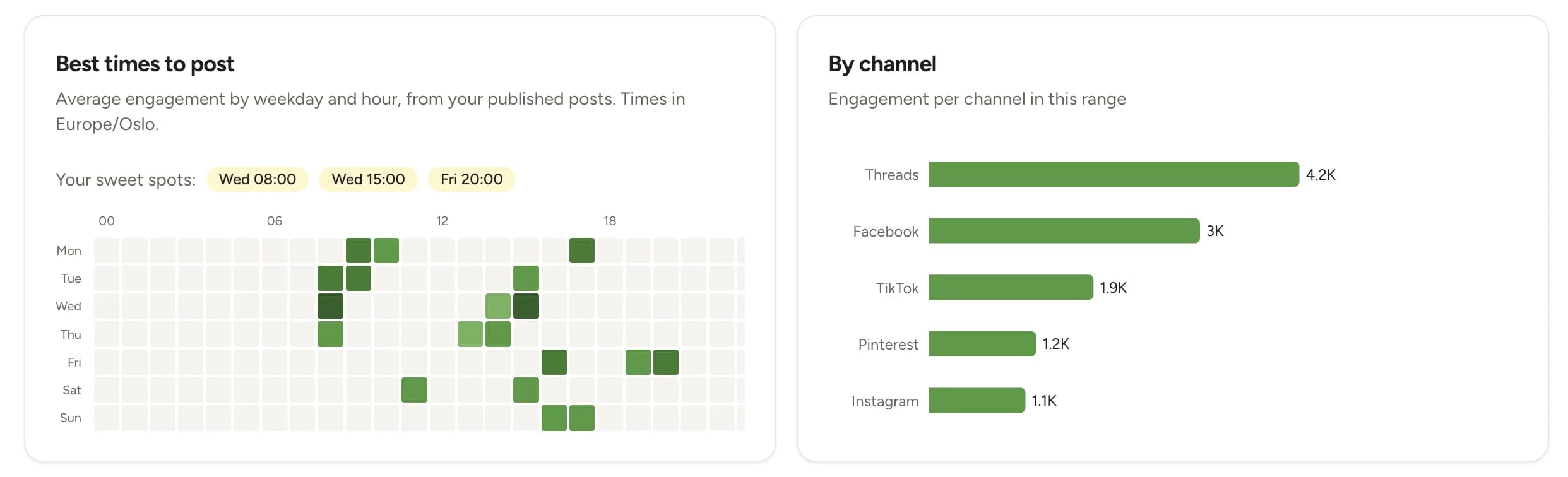
Post when your followers are online
There's no single best time that works for everyone. Your best window is when your own followers are active, and that shifts by audience and timezone. Lemonpost's analytics shows your best posting times per channel, so you schedule into real windows instead of guessing from generic charts.
Scheduling doesn't cost you reach
Posts published through the official X API behave exactly like posts you send by hand. What moves reach on X is a strong first line, posts worth replying to, and showing up often. A scheduler helps with the frequency and frees you from watching the clock, so you can spend your live time actually replying and joining conversations.
X sizes and specs, at a glance
What X accepts for posts and media. Worth bookmarking.
| Format | Recommended size | Aspect ratio | Good to know |
|---|---|---|---|
| Post length | Up to 280 characters | — | The standard limit. Lemonpost counts as you type so nothing gets clipped. |
| Image | 1600 × 900 px | 16:9 | Up to 4 images per post. 16:9 shows without cropping in the timeline. |
| Square image | 1080 × 1080 px | 1:1 | Also works well and takes up more vertical space on mobile. |
| Video | 1280 × 720 px | 16:9 or 1:1 | Landscape and square both play inline. One video per post. |
| Thread part | 280 chars, 4 images each | — | Every part follows the same limits. Lemonpost posts them in order. |
| Poll | 2–4 options | — | Runs from 5 minutes to 7 days. Can't be combined with media or a thread. |
- File types: JPG, PNG or GIF for images, MP4 for video.
- Longer posts are possible on some accounts, but 280 characters is the safe limit that works for everyone.
- Set reply controls per post: everyone, people you follow, accounts you mention, verified users, or subscribers.
Post to every platform, not just X
Lemonpost publishes to X, Threads, Bluesky, LinkedIn, Instagram, TikTok, Facebook, Pinterest and YouTube. Write your post once, customize it per platform, and fill nine calendars in the time one used to take.
Who schedules X with Lemonpost?
Customer story
How a social media manager keeps every account posting

- saved every week
- 5 hrs saved every week
- posts going out, no more silent weeks
- Every week posts going out, no more silent weeks
- for her brand and every client
- 1 calendar for her brand and every client
Read the full story“Half the time I don't even open the app. I just tell Claude what to post, then check it in Lemonpost after.”
Fanny Mäkelä, Social media manager
Free X (Twitter) tools
Loved by customers
Don't just take our word for it
“I looked for this in three other tools before Lemonpost. It just works, erik on support is also amazing.”
Elliot Solberg
Sandra Clothing AS
“We use Lemonpost with claude ai and love it. It is budget friendly, super easy to use and me and my cofounder use it daily.”
Henriette L. Solstad
Lett Rekruttering AS
“In our company it's active recruitment through social media, and being able to post across channels in one place and engage has been amazing.”
Serpios Dento
HomeProject Technologies Ltd
“We were spending HOURS trying to keep up with social media. Lemonpost made it fun again!! Highly recommended :-)”
Vera Bergh
Social media manager
“We manage a busy account and needed something that could take the load without falling over. Lemonpost handles it, and the team ships fixes fast.”
Theo Skyner
CoCreate Ltd
“Connected all our socials in one sitting. The value for money is honestly the best I've found, and support actually replies like a human.”
Ana Costa
“Best quality/price out of all the platforms I've tried.”
Fanny Mäkelä
Social media manager
“We launched a product and got literally zero traffic. It's now been 5 months and we're consistently launching content — and I love the DM feature so we can give our audience some free value.”
Fredrik Kreim
Good to know
Twitter scheduling, answered
Connect your X account, write your tweet or thread in Lemonpost, and pick a date and time. Lemonpost publishes it automatically through the official X API. You can schedule days, weeks, or months ahead, as far out as you like to plan.
Yes. Write the entire thread in Lemonpost and schedule it as one. Each part can carry up to four images or a video, and Lemonpost posts them in order at the scheduled time.
Yes. Add a poll with up to four options and a length from five minutes to seven days. A poll can't be combined with media or a thread, and Lemonpost keeps you to those rules as you build it.
Yes. Paste the URL of the post you're quoting, add your commentary, and Lemonpost publishes it as a quote post at the scheduled time.
Yes. Choose reply controls before the post goes live: everyone, people you follow, accounts you mention, verified users, or your subscribers.
It is when the tool publishes through the official X API, which Lemonpost does. You connect through X's own login, we never ask for your password, and scheduled posts follow the same rules as posts made by hand.
No. Posts published through the official API are treated exactly like posts sent by hand. What moves reach on X is a strong hook and posting often, which is exactly what a scheduler makes easier.
Whenever your followers are online, which is different for every account. Lemonpost's analytics shows your best posting times per channel based on your own followers, so you can schedule into those windows instead of guessing from generic charts.
Yes. Compose once in Lemon Studio, then send the thread to X, Threads and Bluesky in one go. Lemonpost checks each platform's character limit, since they differ, so nothing fails on publish.
Yes. Every plan covers multiple connected accounts: 5 on Creator, 15 on Growth, and 40 on Pro, across all platforms. Workspaces keep brands or clients separate, and every plan has unlimited seats.
Yes. Every plan starts with a 7-day free trial and you can cancel anytime. Plans start at $29 a month, and you pay for connected channels, nothing else. Seats are unlimited on every plan.
Yes. Lemonpost runs in your browser and installs on your phone like a regular app. And since publishing happens on our servers, your phone doesn't need to be on when the post goes out.
It stays in your queue marked as failed, with the reason from X, so you can fix it and try again. If you cross-post to several platforms and one fails, the others still go out. Only the failed one waits for you.
Fill next week's X calendar today
Batch your tweets and threads in one sitting, then get back to your real work. Lemonpost squeezes more out of every posting session.